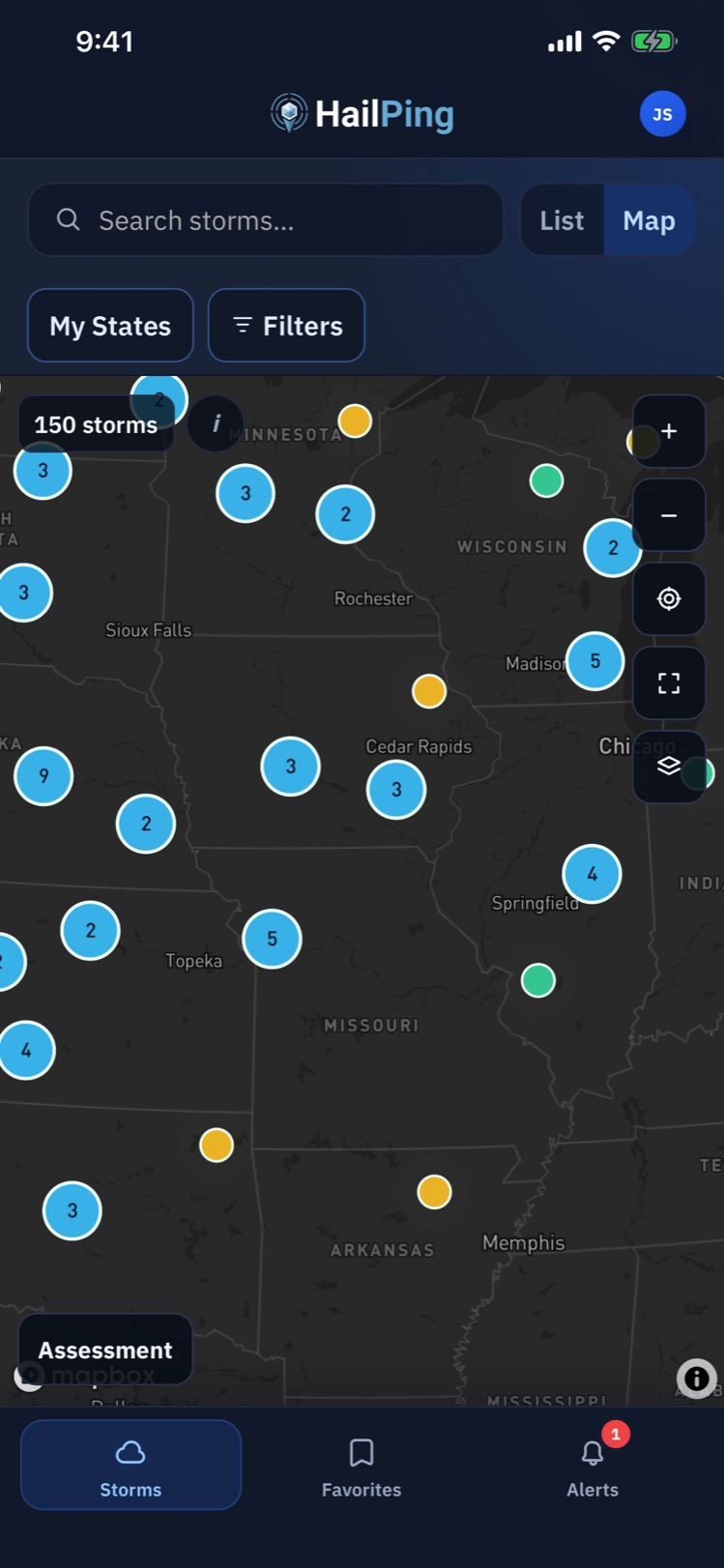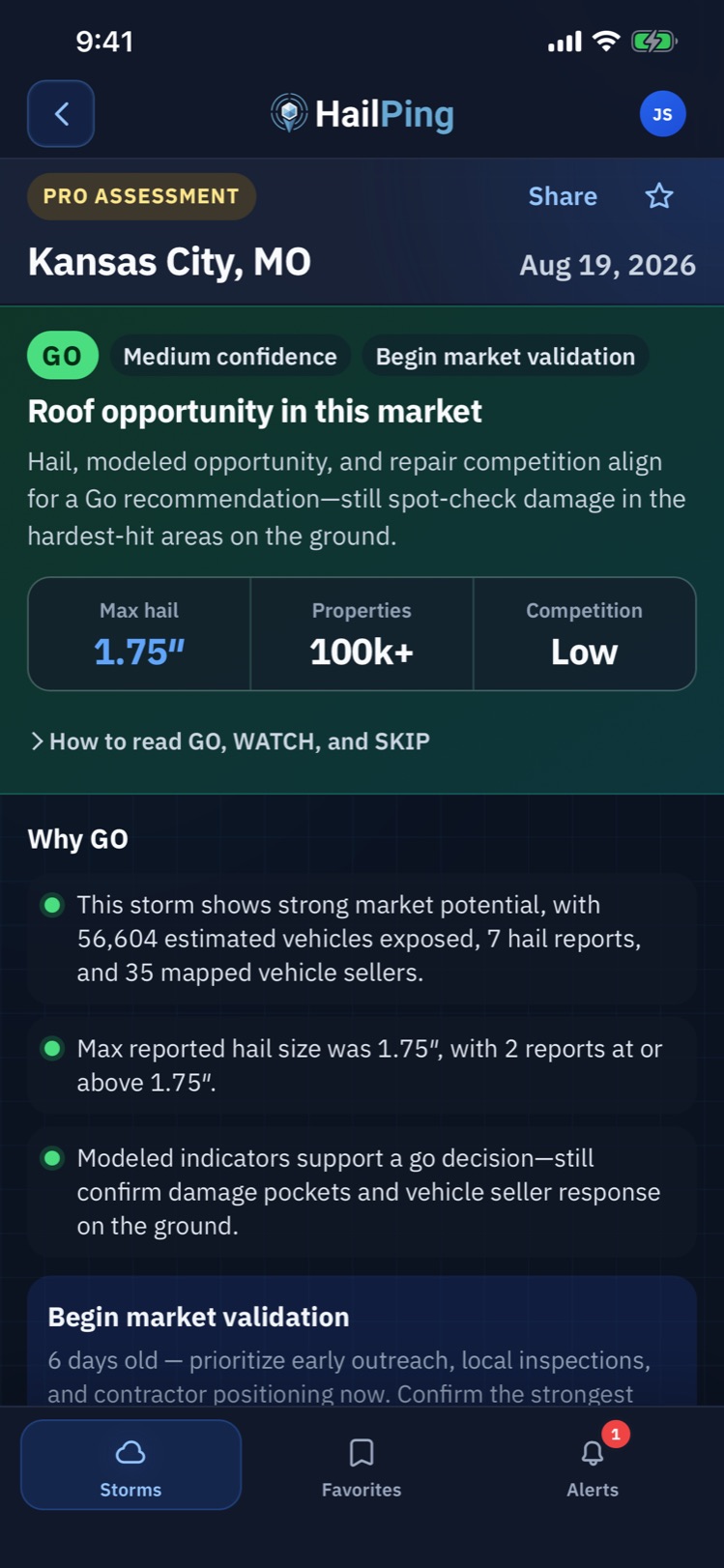
Industry-specific hail intelligence

Hail intelligence built for roofing, PDR, and auto body teams.

Separate assessments for roofing, PDR, and auto body — so the same storm can mean a different GO, WATCH, or SKIP depending on your industry.

Built for roofing companies, PDR teams, and auto body shops.

Built around how your team works

Each industry gets its own problem framing, signals, and decision model.

Roofing

Hail pins do not show which neighborhoods have enough residential exposure to inspect first.

HailPing weighs housing exposure, damaging hail, and roofing competition for restoration planning.

  • Residential exposure
  • Priority neighborhoods
  • Roofing competition
Explore Roofing

PDR

Severe hail alone is not a deploy signal without vehicle exposure and seller targets.

HailPing highlights damaging hail, direct-hit sellers, and PDR competition before you send a crew.

  • Vehicle exposure
  • Direct-hit sellers
  • Damaging hail
Explore PDR

Auto Body

Local shops need repair demand and intake signals, not chase-first deployment language.

HailPing frames local repair demand, competition, and dealer referrals for estimating and outreach.

  • Local repair demand
  • Dealer referrals
  • Local competition
Explore Auto Body

Same storm. Different industry decisions.

Roofing, PDR, and auto body each run a separate assessment. Sign in to see your industry’s GO, WATCH, or SKIP for a live storm. Featured storm: Twin Cities North Metro, MN Hail Report.

Roofing

Residential exposure and roofing competition

Prioritizes housing concentration, damaging hail potential, and contractor context for field verification.

PDR

Vehicle exposure and direct-hit sellers

Weighs damaging hail, corridor sellers as targets, and PDR or body shop competition before deployment.

Auto Body

Local repair demand and referrals

Emphasizes nearby market size, shop competition, and dealer referral opportunity for intake planning.

Sign in to see your industry’s GO, WATCH, or SKIP when the assessment is ready. Public pages show shared hail facts only.

See what changes by industry

Shared hail facts from the featured storm, then the signals each industry assessment emphasizes.

Featured storm

Twin Cities North Metro, MN Hail Report

Max hail
2.25"
Reports 1.00"+
44
Reports 1.75"+
6
Communities
4

Residential exposure

Shown with your industry assessment in the app

Owner-occupied housing exposure

Shown with your industry assessment in the app

Priority neighborhoods

Shown with your industry assessment in the app

Roofing competition

Shown with your industry assessment in the app

What every team gets

Shared product capabilities across roofing, PDR, and auto body.

Industry-specific assessment

Each storm is scored for your industry so roofing, PDR, and auto body teams get the decision model that matches their work.

Hail severity and impact geography

See report concentration, max hail, Direct Hit, and Potential Adjacent Impact context in one place.

Alerts and full storm briefings

Get notified on qualifying hail, then open a limited briefing free or the full market picture on Pro.

Pro briefing

Turn storm reports into a clear market decision

Open a full industry briefing with severity, exposure, competition roles, and a recommendation matched to how your team works.

  • Hail severity Max hail, report density, and timing in one briefing view.
  • Market exposure Industry-matched exposure signals for housing, vehicles, or local demand.
  • Competition context Targets, referrals, and competitors labeled for your industry role.
  • Industry recommendation A clear GO, WATCH, or SKIP for roofing, PDR, or auto body.
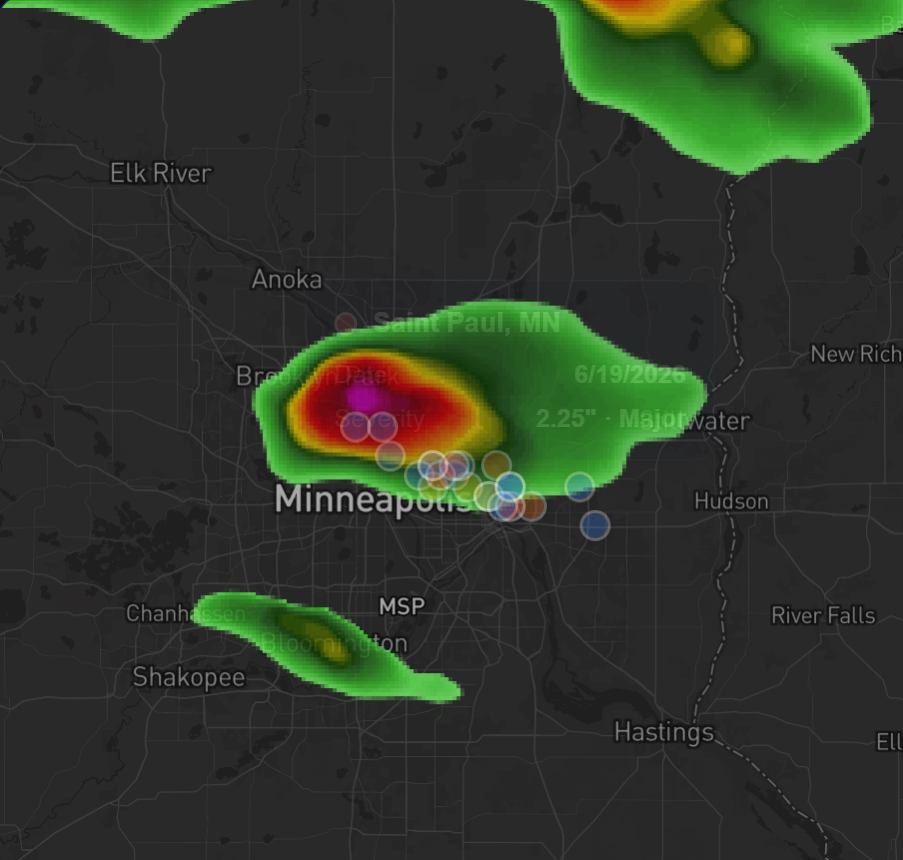
HailPing storm radar and report preview

Storm geography and radar

See where reported hail was concentrated

Pair radar playback with mapped hail reports to review Direct Hit corridors and Potential Adjacent Impact context.

  • Radar timeline replay
  • Mapped hail event pins
  • Direct Hit and Potential Adjacent Impact

Interactive radar playback for this storm. Essential storm facts are also available in the report summary and metrics on this page.

Loading radar playback…
  • Radar Replay

    Scrub through the storm timeline to see when the cell strengthened and where it moved.

  • Event Pin Mapping

    See hail reports plotted on the map so clustered impact areas stand out fast.

  • Impact Geography

    Match radar and event density to Direct Hit and Potential Adjacent Impact areas worth verifying.

Recent hail storm reports

Browse public storm overviews with shared hail facts.

View hail report: Algoma, WI Hail Report

Algoma, WI Hail Report

Free industry assessment in the app

Affected area

Algoma, WI · Brussels, WI · Sturgeon Bay, WI

Severe hail activity was reported across the Algoma, WI · Brussels, WI · Sturgeon Bay, WI area. Maximum reported hail size reached 3.00 inches. 5 qualifying reports measured 1.00 inches or larger, including 3 at 1.75 inches or larger.

View hail report: Crandon, WI Hail Report

Crandon, WI Hail Report

Free industry assessment in the app

Affected area

Crandon / Eagle River / Mole Lake corridor

Severe hail activity was reported across the Crandon / Eagle River / Mole Lake corridor. Maximum reported hail size reached 2.00 inches. 5 qualifying reports measured 1.00 inches or larger, including 2 at 1.75 inches or larger.

View hail report: Oconomowoc, WI Hail Report

Oconomowoc, WI Hail Report

Free industry assessment in the app

Affected area

Oconomowoc / Delafield / Juneau corridor

Severe hail activity was reported across the Oconomowoc / Delafield / Juneau corridor. Maximum reported hail size reached 2.50 inches. 6 qualifying reports measured 1.00 inches or larger, including 3 at 1.75 inches or larger.

Free vs Pro

Start free. Unlock deeper intel when it matters.

Choose your industry on either plan. Upgrade when you need the full market picture.

Free account

Alerts and a limited industry briefing when an assessment exists.


  • Public storm reports
  • Custom hail alerts
  • Limited industry briefing
  • Industry decision and confidence when available
  • Limited storm and opportunity preview
Create Free Account

Built for informed field verification

HailPing uses modeled exposure and industry-specific assessments to help you decide where to look first. Field verification still matters before you act.

FAQ

Questions about HailPing

Who is HailPing built for?

HailPing is built for roofing, PDR, and auto body teams that need industry-specific hail assessments — not a single chase score for everyone.

Do all industries get the same GO, WATCH, or SKIP?

No. Roofing, PDR, and auto body use independent models. A storm can be GO for one industry and WATCH or SKIP for another.

What is included with Free and Pro?

Free includes public storm reports, custom alerts, and a limited industry briefing with decision and confidence when available. Pro unlocks the full industry briefing, complete market and competition data, map depth, and full event detail.

How does HailPing determine storm opportunity?

HailPing clusters hail reports into storm events, then runs separate industry assessments using severity, impact geography, and industry-specific market signals such as housing exposure, vehicle sellers, or local repair demand.

Does HailPing confirm damage or guarantee leads?

No. Metrics are modeled exposure and damage potential. HailPing does not claim exact roofs or vehicles damaged, confirmed claims, or guaranteed revenue.

Can I get alerts without paying?

Yes. Free accounts can receive hail alerts based on size, location, and market filters. Upgrade to Pro when you need the full briefing.

Ready for the next hail storm?

Start with industry-specific hail intelligence

Create a free account for alerts and, when available, your industry’s GO, WATCH, or SKIP. Upgrade to Pro for the full briefing.

  • Industry-specific decisions
  • Custom hail alerts
  • Full Pro briefings when needed